
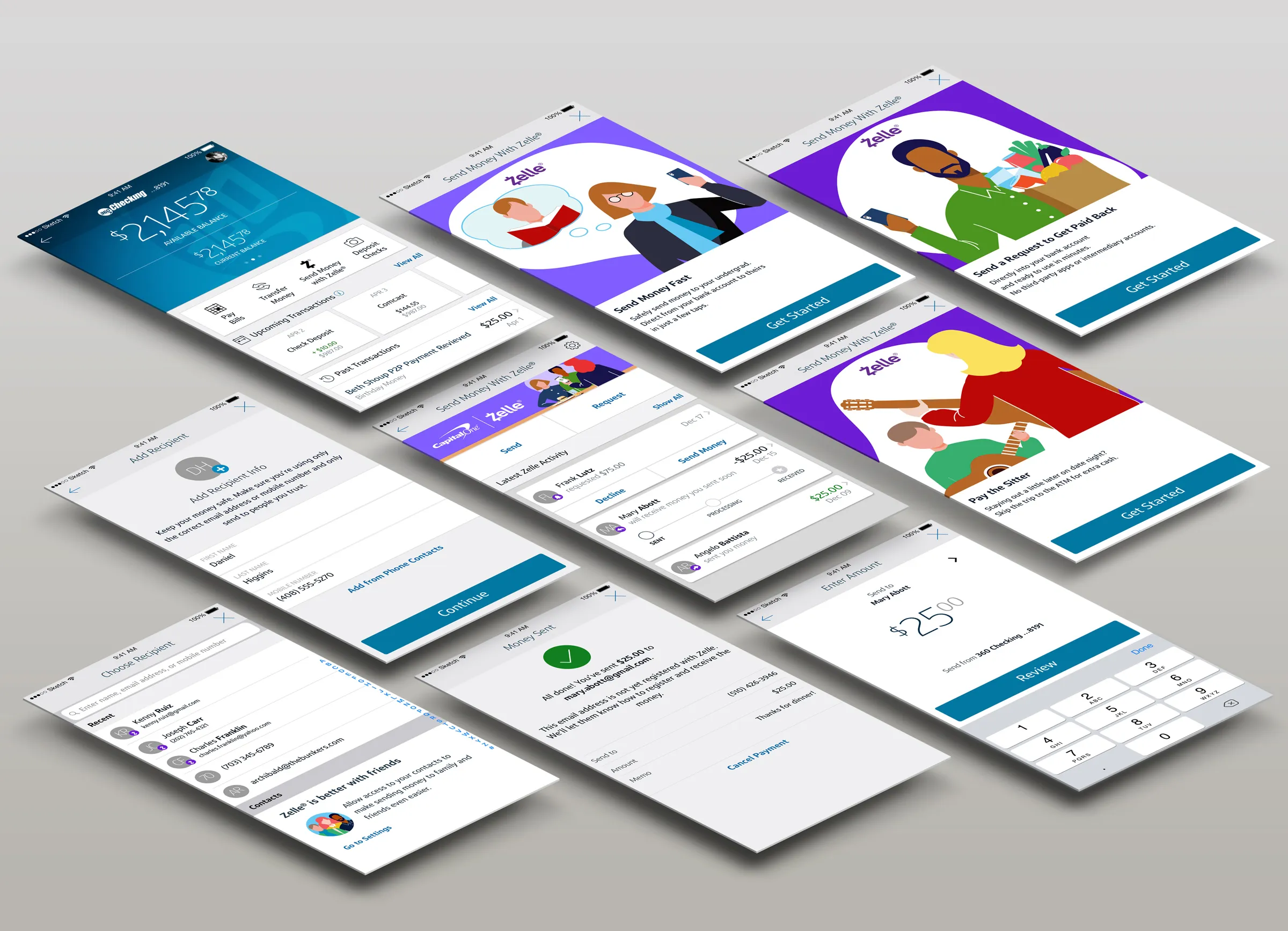
03 // Building Capital One Address Book
Building on the foundation of Zelle Recent Contacts as the first true iteration of address book functionality in production, we moved quickly to closely align our experience with UI for the Capital One Address Book (as part of the larger Common Flow project, a conceptual re-imagining of Capital One app payments that directly addresses feature discoverability and removes rails for various payment methods).
Prompted by customer frustration (according to Capital One call center data) with manually entering Zelle recipient contact information (email or mobile number) each time s/he wants to send or request money with Zelle, we needed to allow customers to see recent recipients.
Problem Statement
As a Capital One customer, I want to (be able to easily) add Zelle recipients to my Address Book (to make it easier to send them money again).
Understanding User (Empathize & Design)
Providing a name when manually entering an email address or mobile number is now required per Zelle UI guidelines: “Once the Sender sends the Payment to the [unknown] Recipient, the Recipient should appear in the Sender’s recipient list on the Select Recipient Screen.”
Similar to native Address Book (Android) and Contacts (iOS) functionality, the Capital One Address Book stores contact and payment information about every payee the customer interacts with, both businesses and individuals. Additionally, each Address Book entry will eventually display full payment history, making repeat or recurring payments easier to send.
Low Fidelity
With native Address Book functionality serving as a design template, we were able to move quickly through low-fidelity concepts in InDesign Freehand to high-fidelity flows in Sketch.
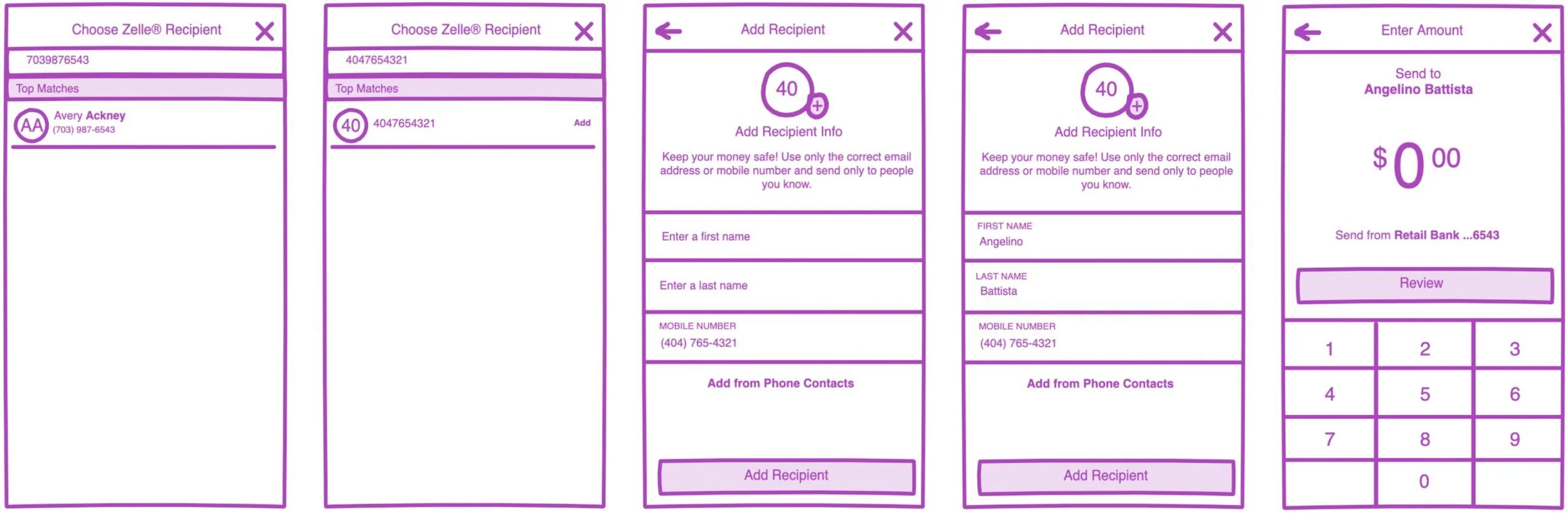
Ideation
Both Send & Request flows launch the Choose Recipient screen, where Recent Contacts are displayed. (A successfully completed Send or Request flow automatically creates an Address Book entry, badged as Zelle-registered).
The search field doubles as an entry field when a search returns no results. Any name, email, or mobile number that doesn’t return a match in the Address Book prompts the user to create a new entry. The Add Recipient screen pre-populates with the user-entered data (or allows user to import from local phone contacts).
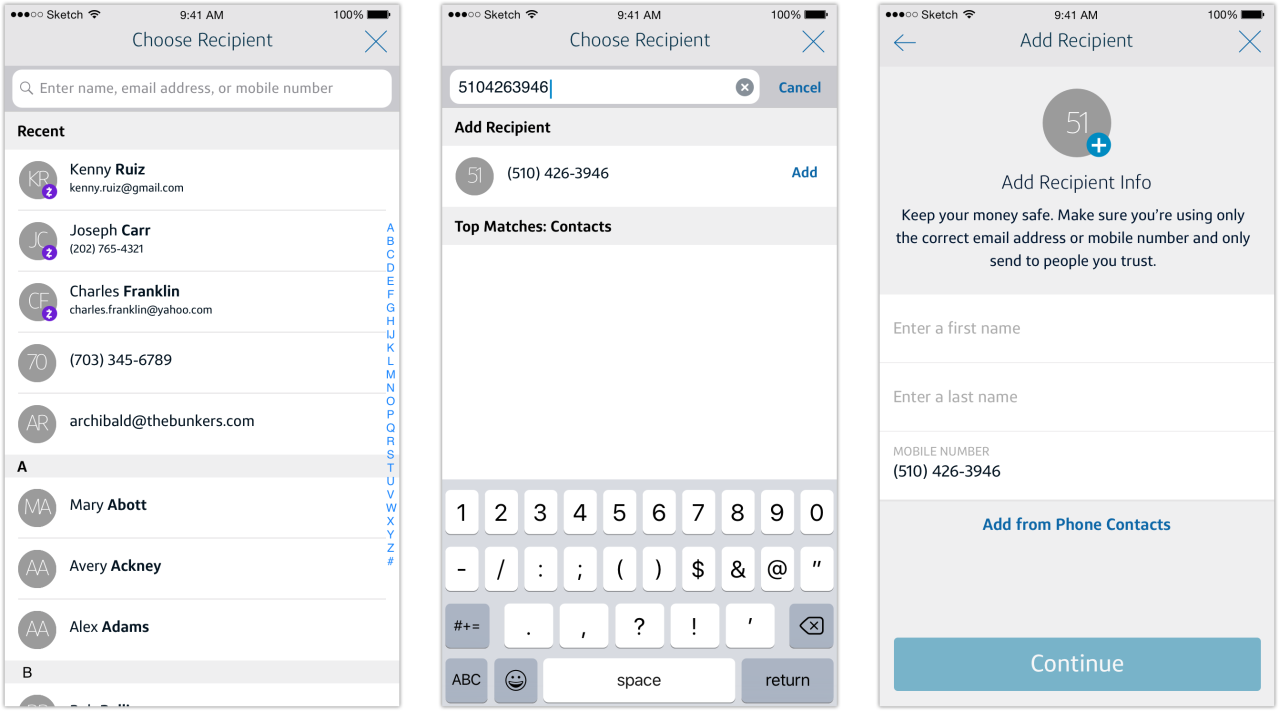
Final Result
Putting Recent Zelle Contacts into production has resulted in a decrease in user errors by 2000 monthly and a marked increase in customer satisfaction with Send/Request flows.
The feature has real benefit for Capital One in the significant reduction in calls and substantial cost savings (as their US-based call centers are high-cost), future iterations can have even greater transparency so the customer can make better-informed decisions around sending money with Zelle.