
Design Solution
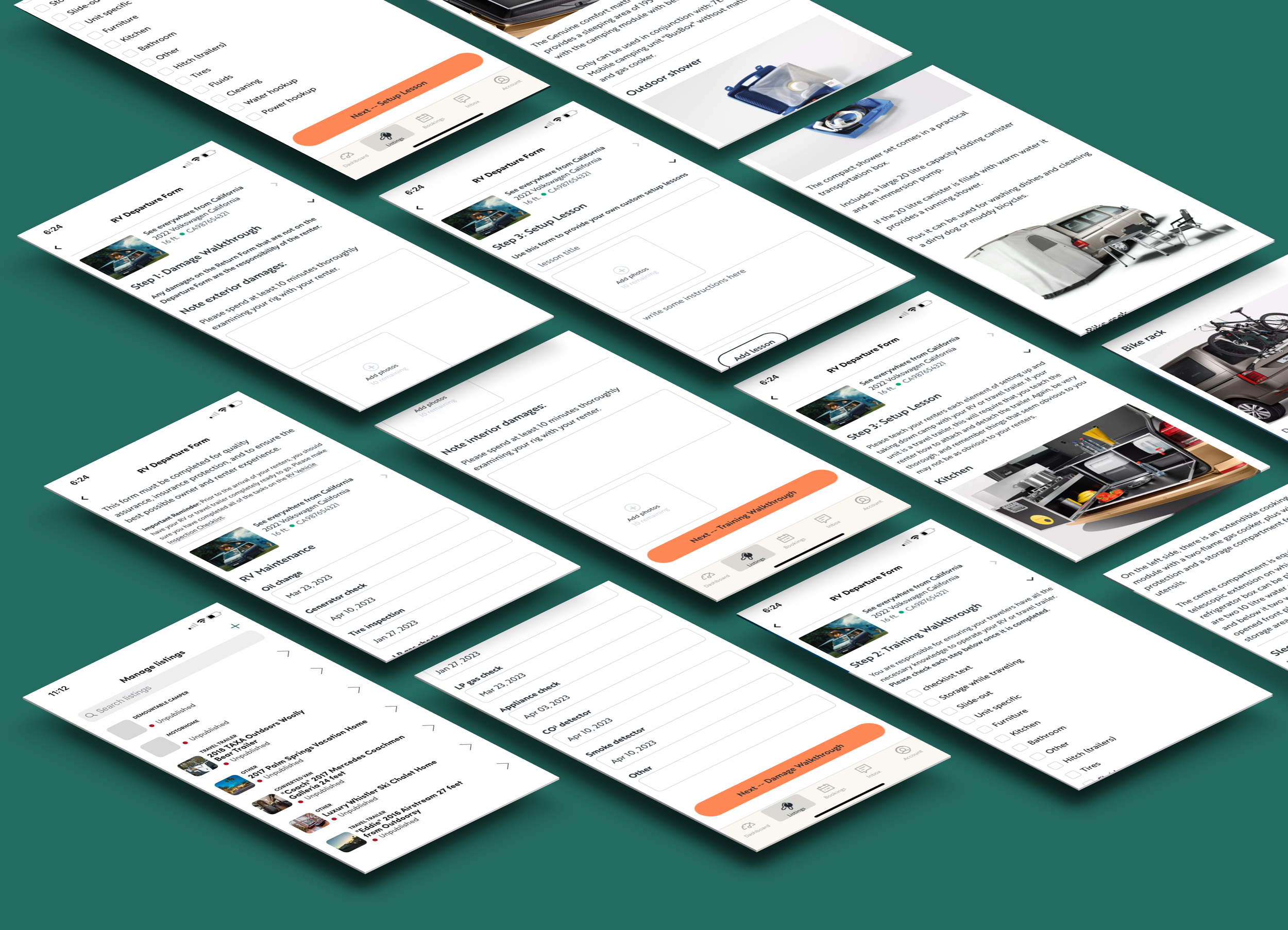
I took advantage of Lab Day and re-imagined the RV handoff process, transforming paperwork into a mobile-first experience. Leveraging the Outdoorsy design library, I created key screens in a high-fidelity native mobile flow.
Within the Outdoorsy Owner mobile app, an RV owner could document and store their rental vehicle in full detail, providing custom-written set-up instructions for every aspect of the rental. And document any pre-existing wear, damage, or inconsistencies.
A New RV Departure Form
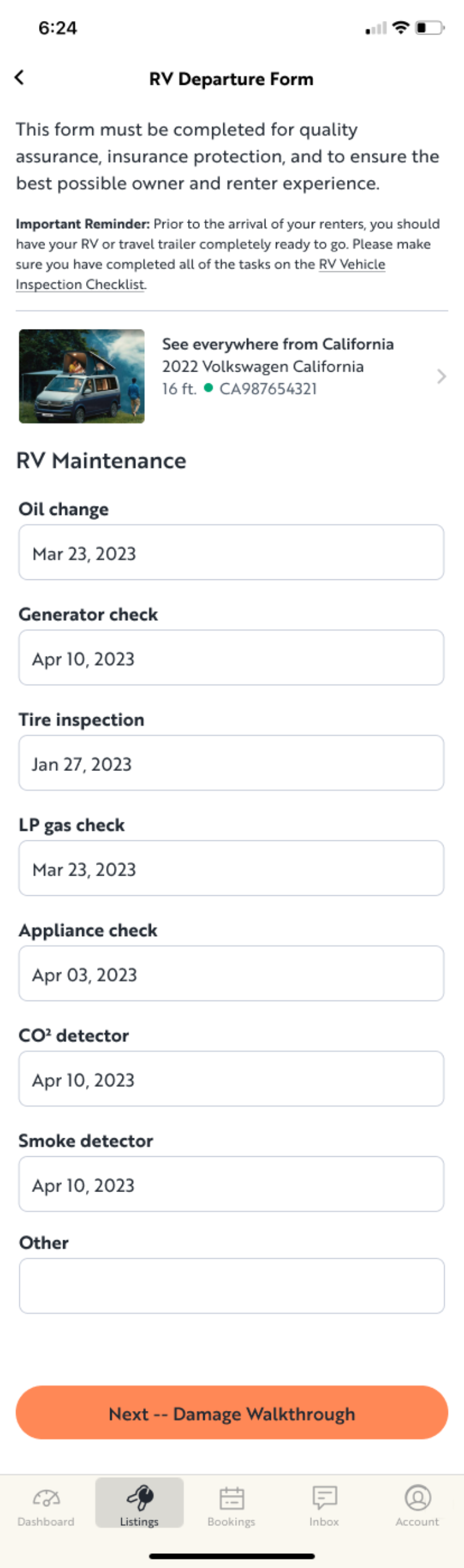
The re-imagined RV Departure Form is broken out into clearly defined steps, beginning with RV Maintenance, which is always to be done well in advance of handoff. RV owners could now document and store the time-sensitive routine maintenance of their rental vehicle (or vehicles if they were either an enterprising individual owner or a business owner with a fleet of rentals) including:
oil change
generator check
tire inspection
LP gas check
appliance check
CO₂ detector
smoke detector
plus any other items requiring routine maintenance
Step 1: Damage Walkthrough
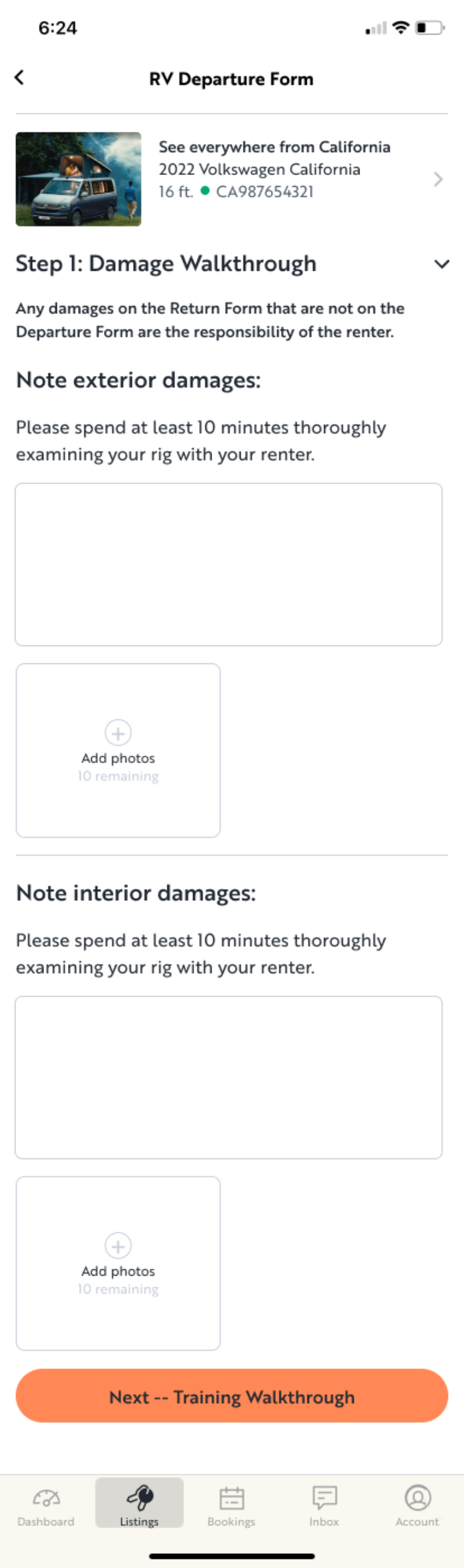
Step 1 of the in-person handoff with the renter is an on-site inspection of the current condition of the vehicle, where any existing wear or damage can be noted and documented via photo uploads, taken by the owner in real time. Simple form fields allow for written notes and the upload of up to 10 images of both the exterior and interior of the vehicle.
The renter can also take his/her own images, reducing friction and disputes in any subsequent claim process if the vehicle is damaged by the renter (or in the rare case where an owner attempts to make a false damage claim).
Step 2: Training Walkthrough
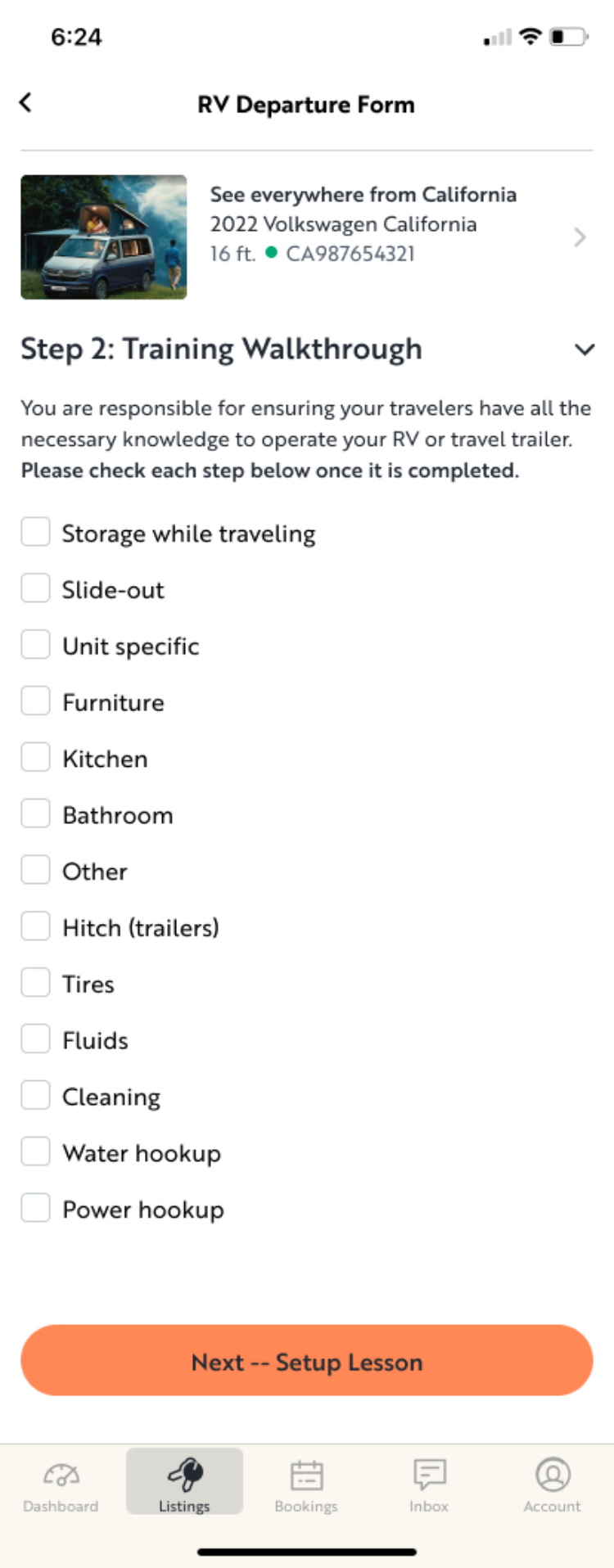
Step 2 of the in-person handoff with the renter consists of a detailed on-site training walkthrough of operation of the vehicle, where the owner is “responsible for ensuring your travelers have all the necessary knowledge to operate your RV […]”.
The owner can create a custom checklist for themself covering all aspects of operation, ensuring nothing is forgotten during handoff:
storage while traveling
slide-out
unit specific
furniture
kitchen
bathroom
other
hitch (for trailers and towables)
tires
fluids
cleaning
water hookup
power hookup
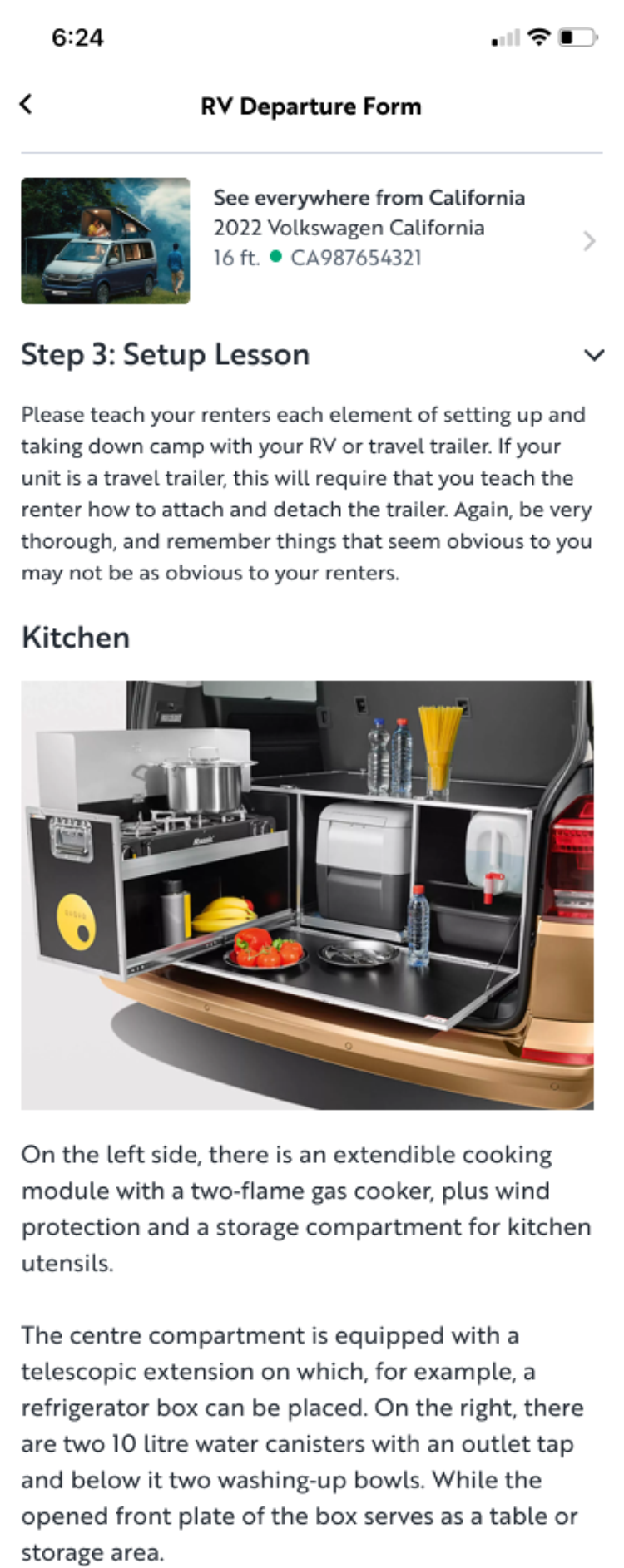
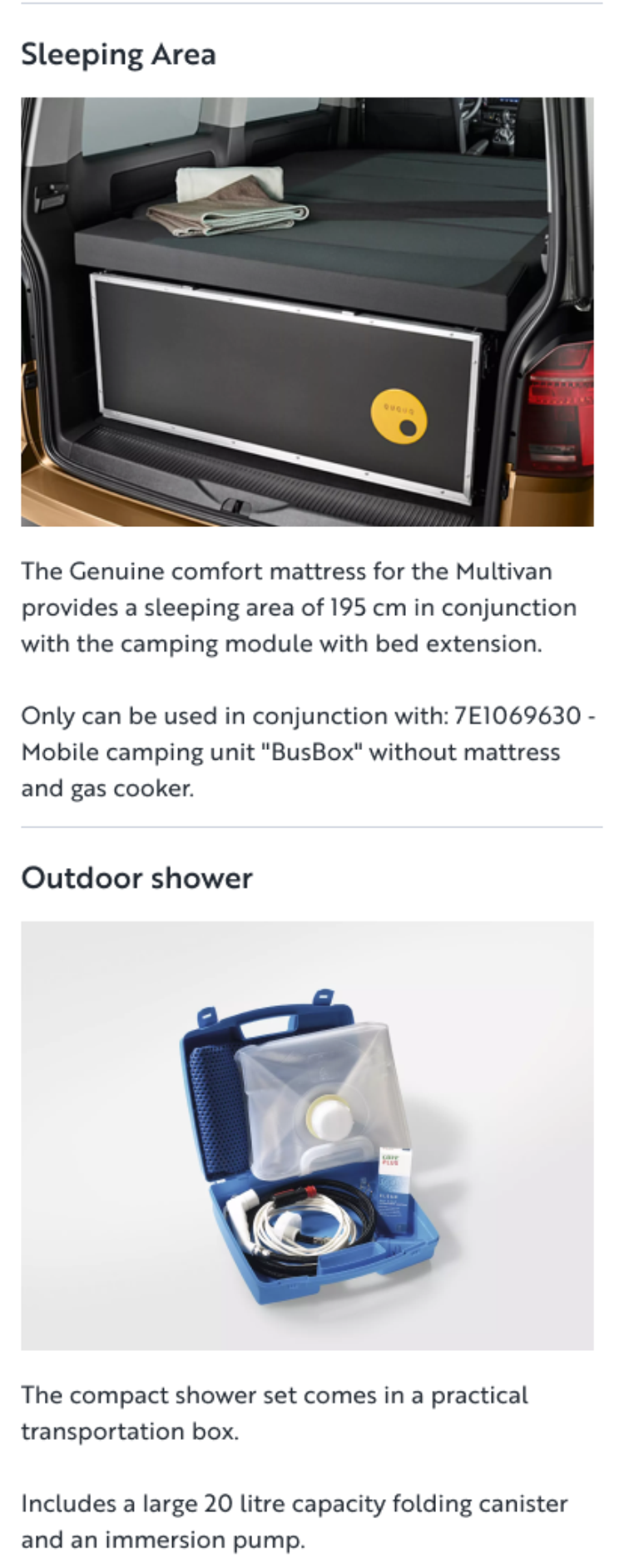
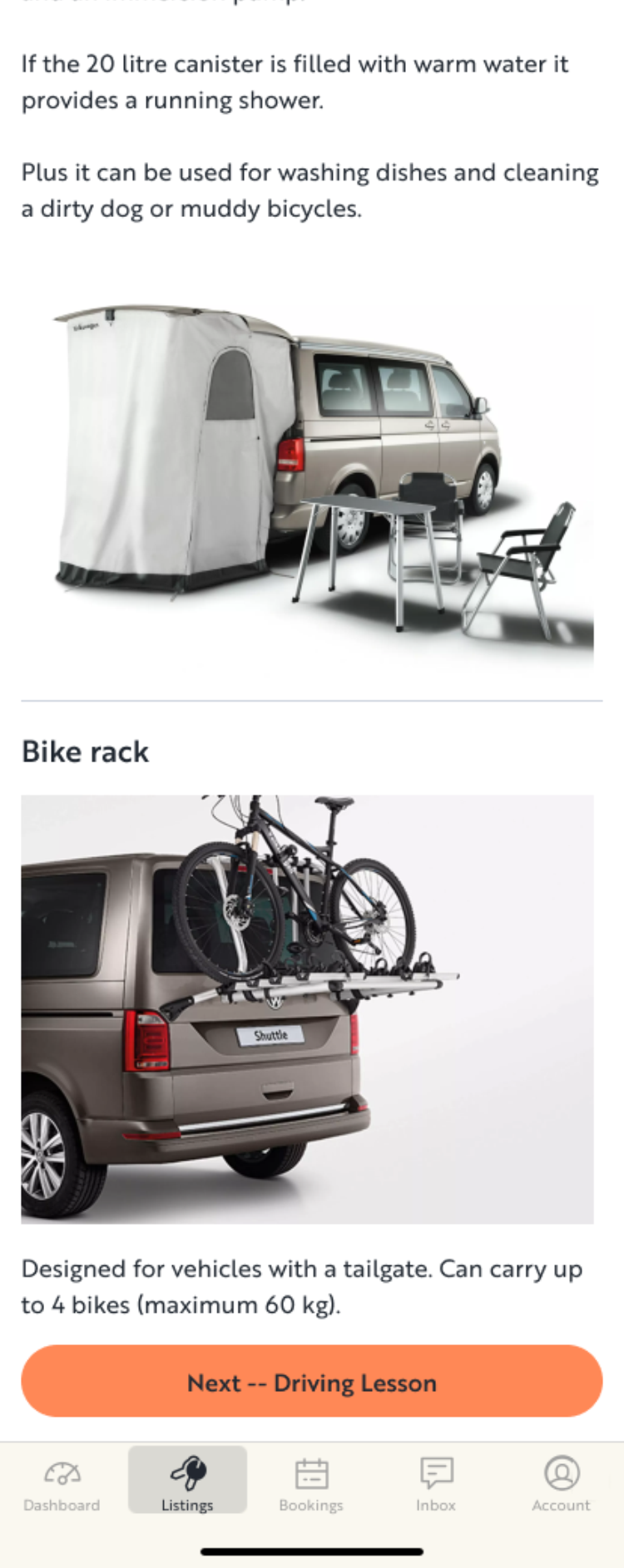
Step 3: Setup Lesson
Step 3 of the in-person handoff is the setup lesson, where the owner teaches the departing renter how to use each element or feature of the vehicle. Modern RVs are miracles of space-saving engineering and efficiency. As such, components are lightweight, requiring knowledge and care in their usage if they are to last.
Imagine re-packing a flat-packed Ikea desk after you’ve used it for the day and you get the idea.
Once the lesson is complete, the renter may need to reference these instructions in the wild. Previously, setup lessons were included in the vehicle as a hefty binder of owner-written and printed hard copy pages.
In this re-imagined lesson, the owner is unburdened of the custom printing and now has their setup lessons available within the Outdoorsy renter app, following a standard format (dictated by the Outdoorsy design system), reducing friction and potential frustration for the renter. Descriptions can be clear and concise with owner-generated photos.
Covered in these screens are sample setup lessons for:
Kitchen
Sleeping Area
Exterior features (ex: outdoor shower or space-expanding tent)
Storage for bikes or other adventure gear